UN iLibrary: one platform for left-to-right and right-to-left reading
A publishing platform for United Nations content, built so the same pages work in left-to-right languages and in Arabic, which reads right to left.
Role: UX and front-end developer
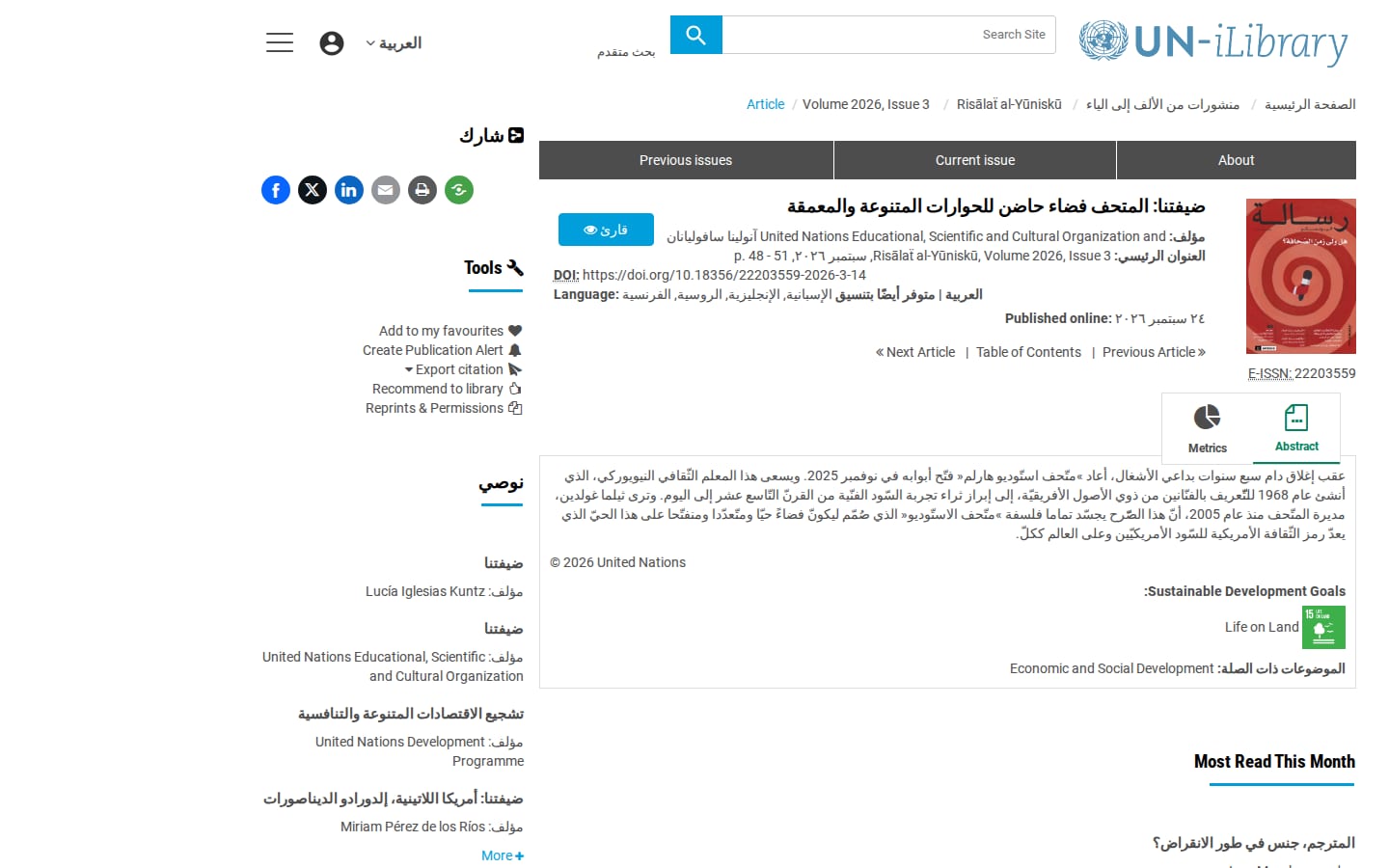
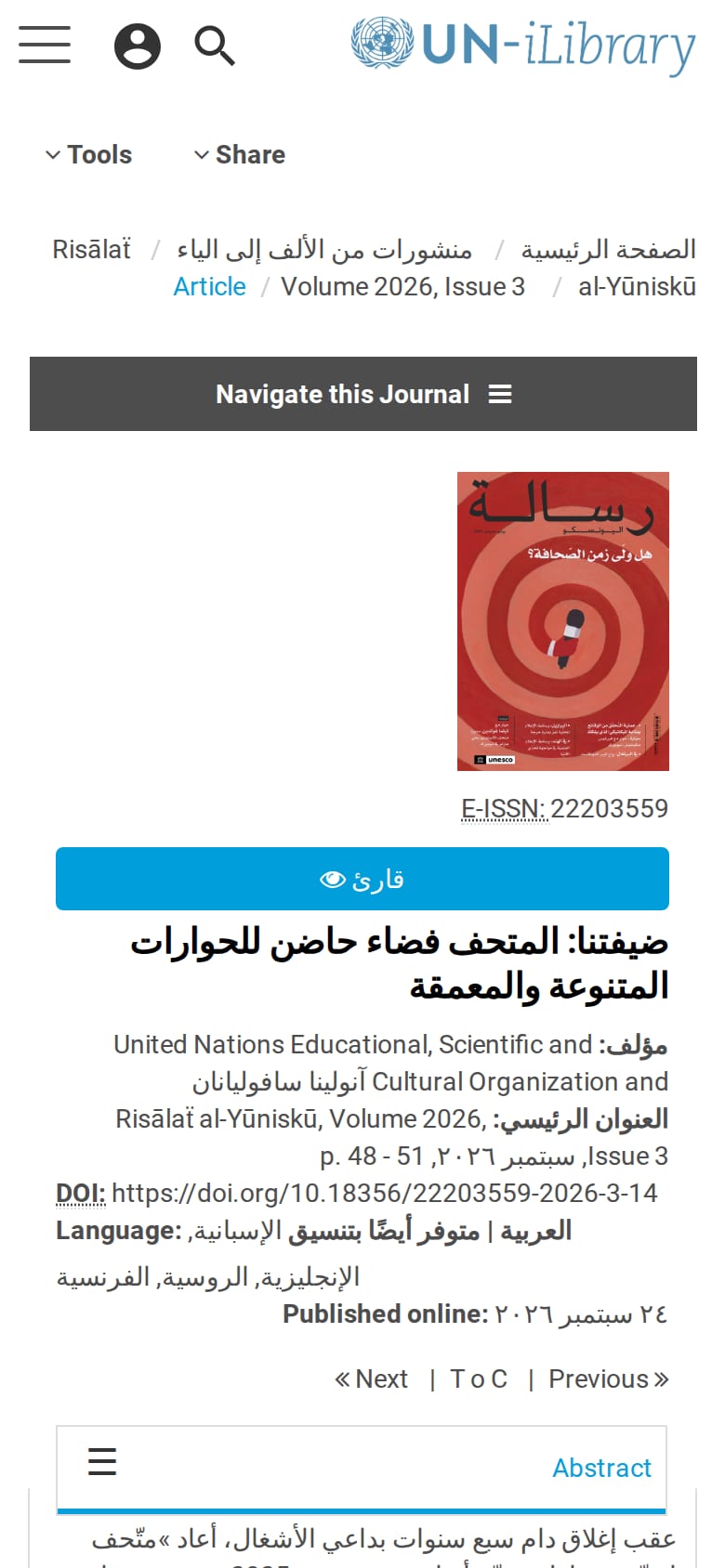
The problem
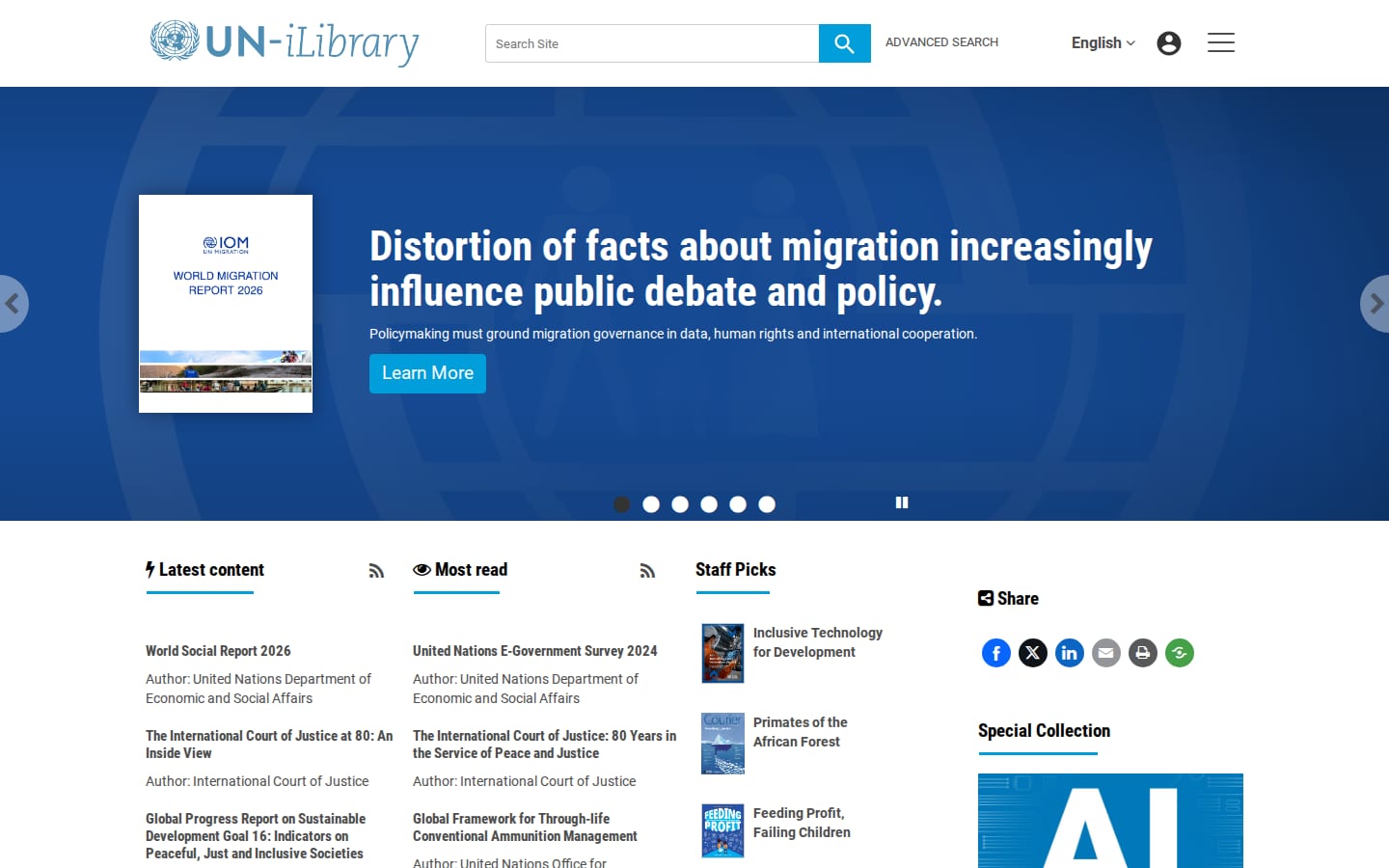
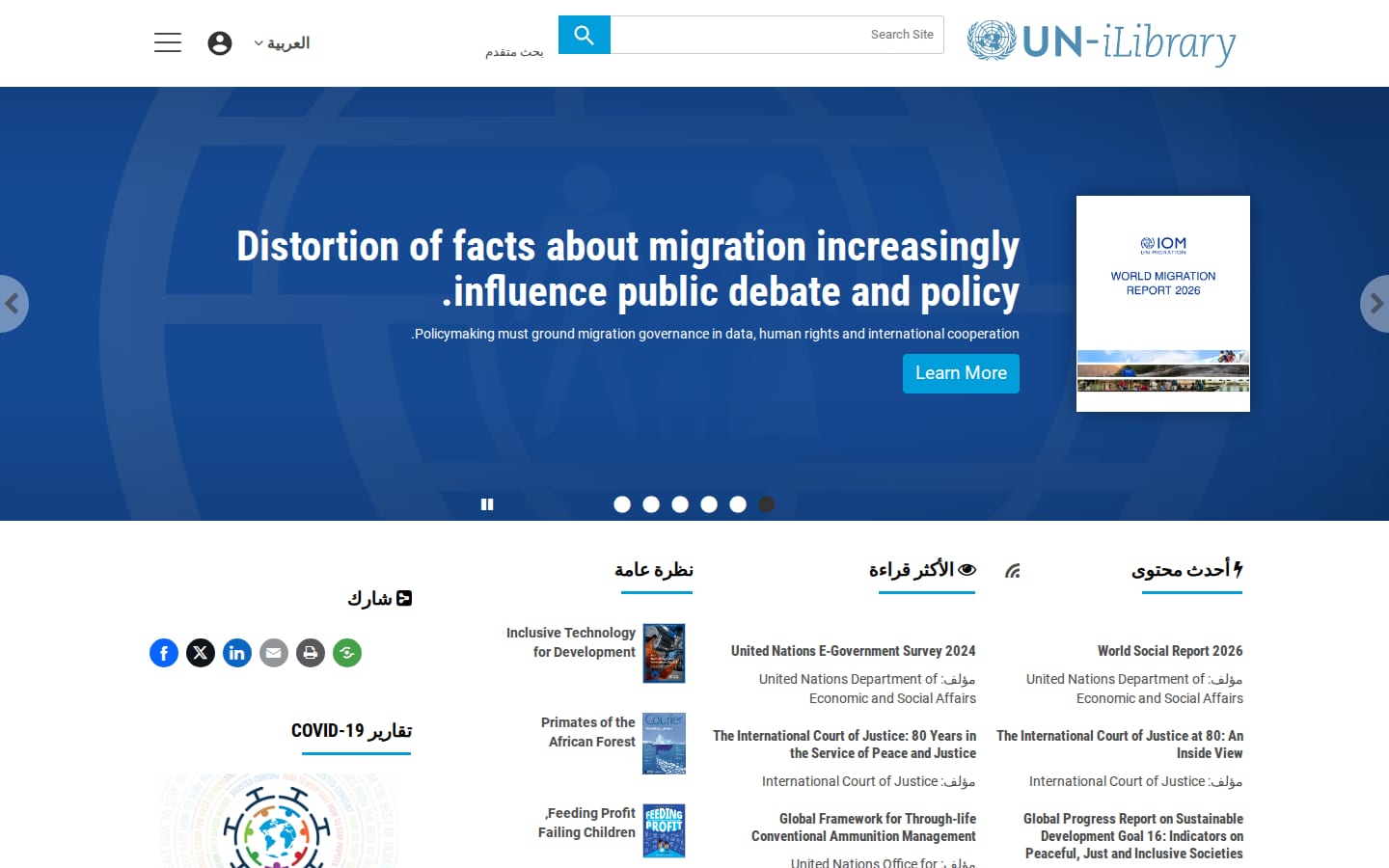
The UN publishes for readers in several languages, and Arabic readers expect the whole page to mirror: text, navigation, icons and layout all running right to left. Bolting that on afterwards tends to leave broken alignment and arrows pointing the wrong way.
What I did
- Set the page direction and language from the visitor's interface language, so the Arabic interface gets dir="rtl" and lang="ar" on the html element and every browser and screen reader treats it correctly.
- Loaded the mirrored stylesheets for Arabic pages from their own /rtl path, so the two directions use separate files.
- Kept one language menu for English, French, Spanish, Russian, Chinese and Arabic, with only Arabic switching the page direction.
- Generated a mirrored right-to-left stylesheet from the same source styles as part of the build, instead of maintaining a second set of CSS by hand.
- Kept third-party components that break when mirrored, such as the image lightbox, on the original stylesheet.
- Set the number and date formatting for the Arabic locale, so those match what readers expect.
The outcome
Created a solution that allows the United Nations to publish their accessible content in an interface that supports six interface languages, including a right-to-left language, and meets WCAG 2.2 accessibility requirements.