

Developer portal for builds and environments
One screen to build, run and promote every customer site across local, dev, QA and live-image environments.
Role: Designer and developer
The problem
Finding the right port, knowing what was running and kicking off builds meant juggling terminals and notes. Moving a customer site between environments meant a separate set of AWS steps for each one.
What I did
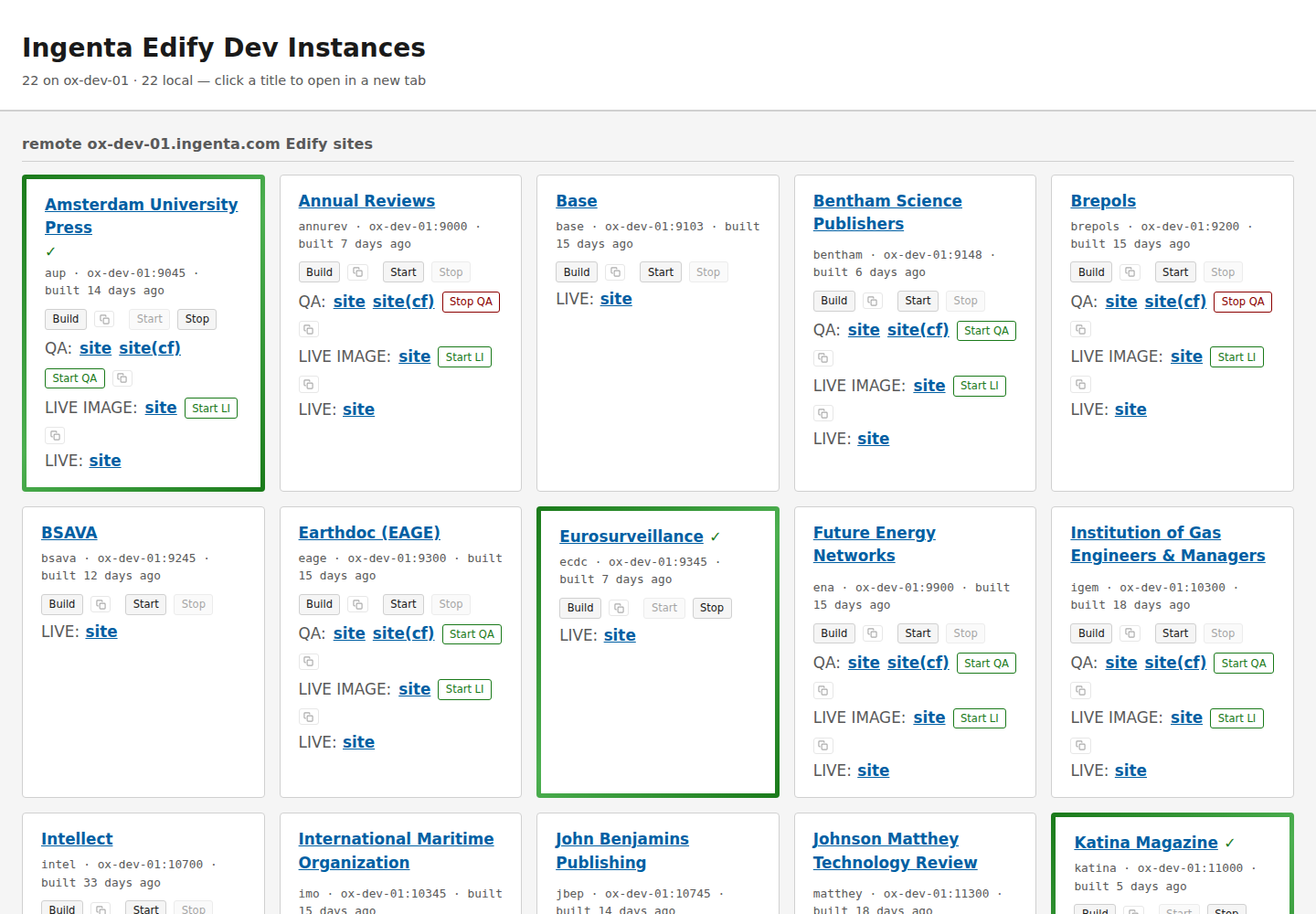
- Mapped the tasks developers repeat daily and ordered each card around them: open the site, build it, start or stop its server.
- Used a gradient border plus a status icon so state is never conveyed by colour alone, with strong focus rings, a skip link and reduced-motion support from day one.
- Integrated AWS so every customer card has its own QA and live-image rows. The portal reads each environment's EC2 state, shows the right Start or Stop button, and hides the row when a customer has no such environment.
- Start and stop run the existing environment scripts in the background, which handle database and server ordering and health checks. The portal polls while an action is in progress and updates the button when the server reaches its new state.
- Added an in-page AWS sign-in so an expired session is fixed from the portal instead of the terminal.
- Added push notifications so rebuilds, restarts and similar tasks can be monitored much more easily while away from my desk.
The outcome
Builds, server state and QA and live-image environments for every customer are managed from one page, so moving work between environments no longer means remembering commands. This significantly reduced the tedium of building projects, and so gave a significant productivity boost.